The filing system that reads its own mail.
Etra Atlas receives your documents, reads them and suggests where they belong. Amounts, invoice numbers and due dates are already in the form before anyone types. Payments, working hours and inventory are handled in the same system, with crew dispatch right alongside. Looking for something? Just ask.
Hosted in Germany · German-language interface · Local AI only, no cloud AI
New in Etra Atlas
- TrackLivPlan crews and vehicles, then follow them live on the map.App add-on
- FinanceKeep track of payments from filed invoices.App add-on
- Workon & TimesheetsLog working hours, holidays and sick notes in the browser.App add-on
- InventoryRent out, sell and invoice in one click.App add-on
- SecuritySign in with a passkey or password, always with a second factor.Base package
- AppsAtlas for iPhone and iPad, and for the Mac on request.In testing
One document, one path.
It arrives, gets read, reviewed and filed, and is found again. Every step is traceable and none of it needs a manual.
Mailroom: documents arrive and get read
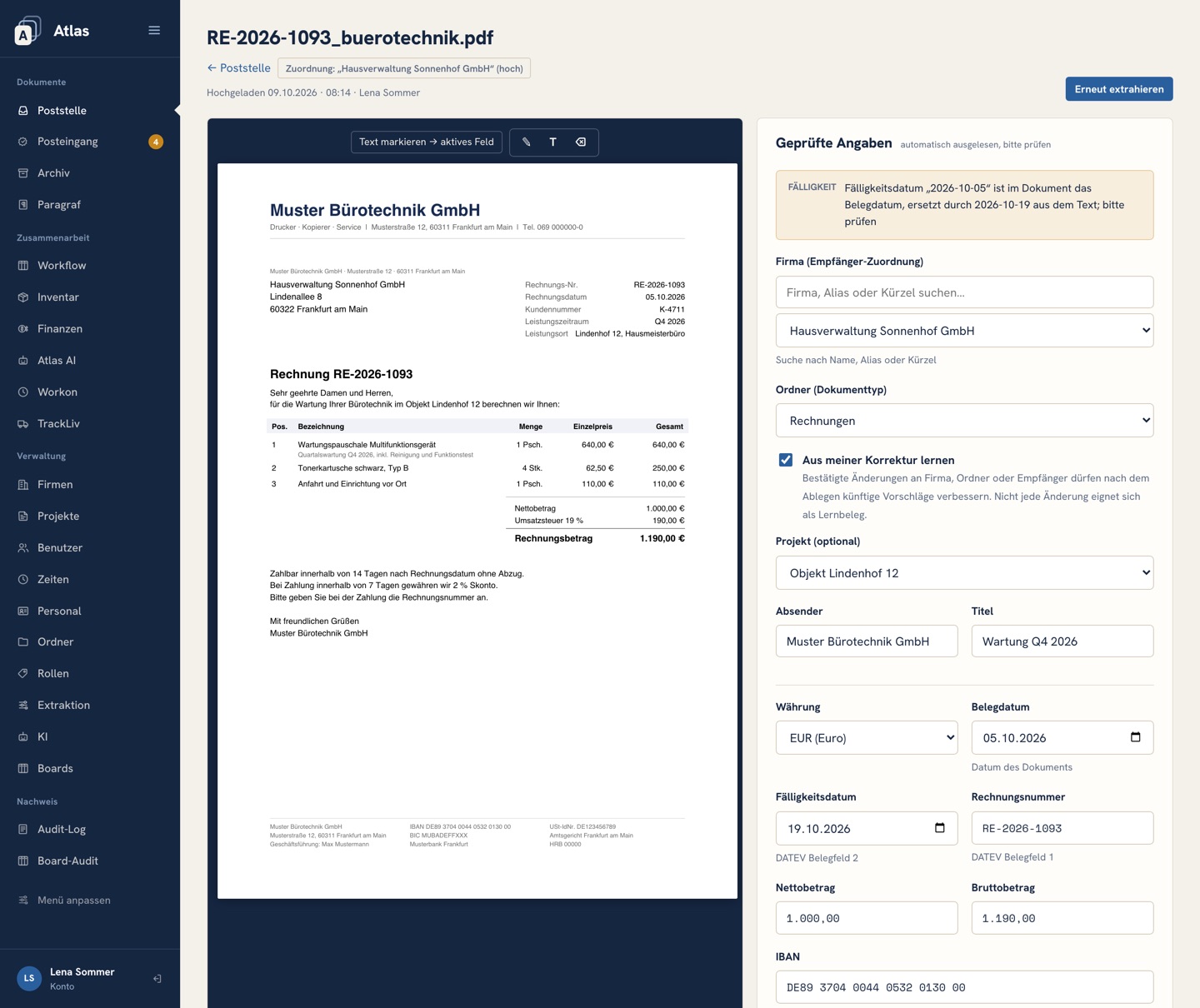
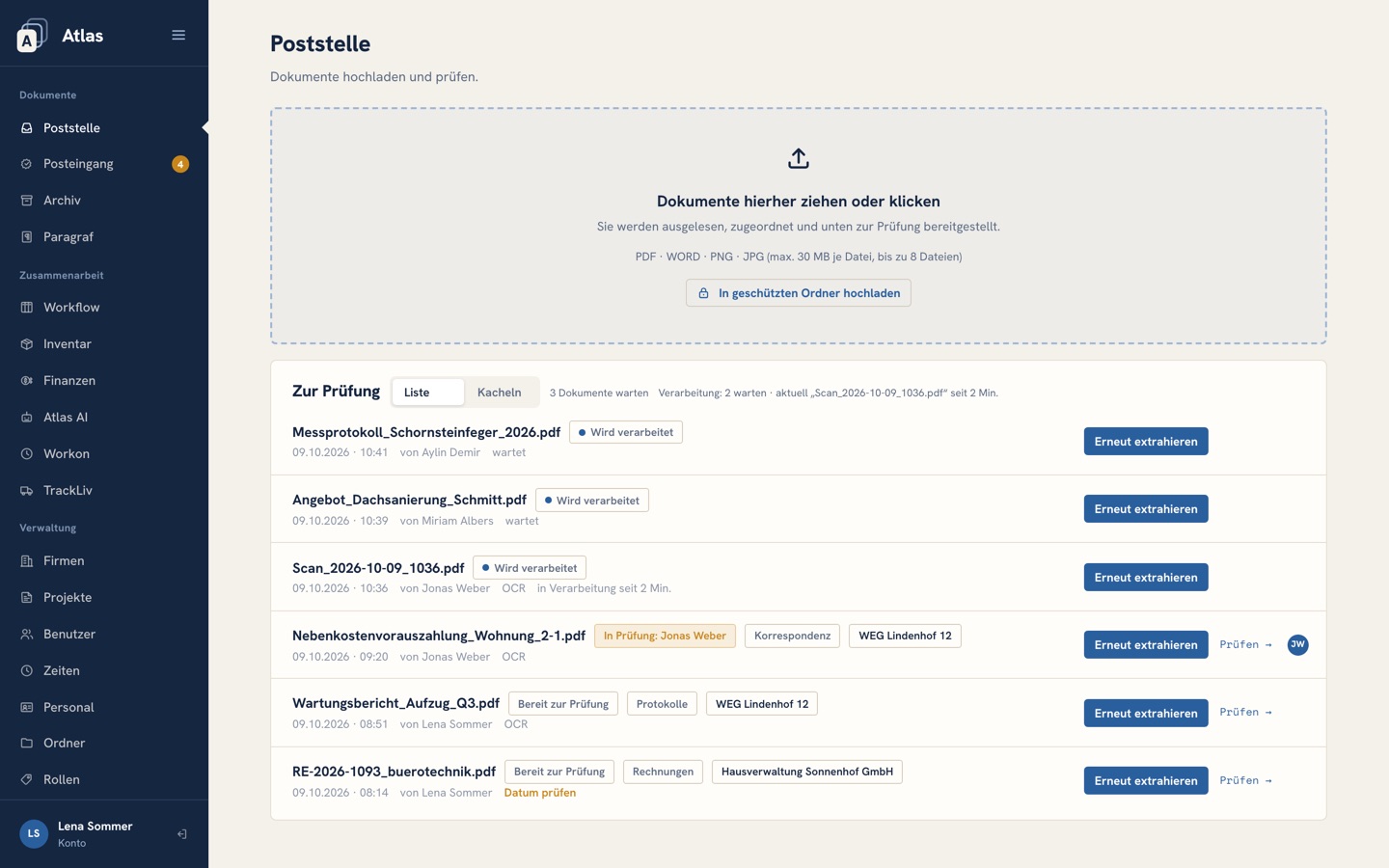
Upload a PDF, a Word file or a photo (JPG, PNG), up to eight at once. Atlas reads each document as an image, layout and tables included; it even reads scans where OCR finds nothing. It fills in the fields and suggests the company and folder, giving its reasons, plus the matching project. Reviewers pick a field and highlight the spot in the document: the text goes into the field, with dates and amounts correctly formatted.
- Document date and due date are cross-checked against the text; “payable within 14 days” becomes a due date
- Amounts, invoice number and IBAN are suggested, and the amount payable after early-payment discount is calculated
- Atlas learns from corrections to company and folder, but only as suggestions; nothing changes silently
- The same file is recognised and never filed twice
Archive: ask, don’t search
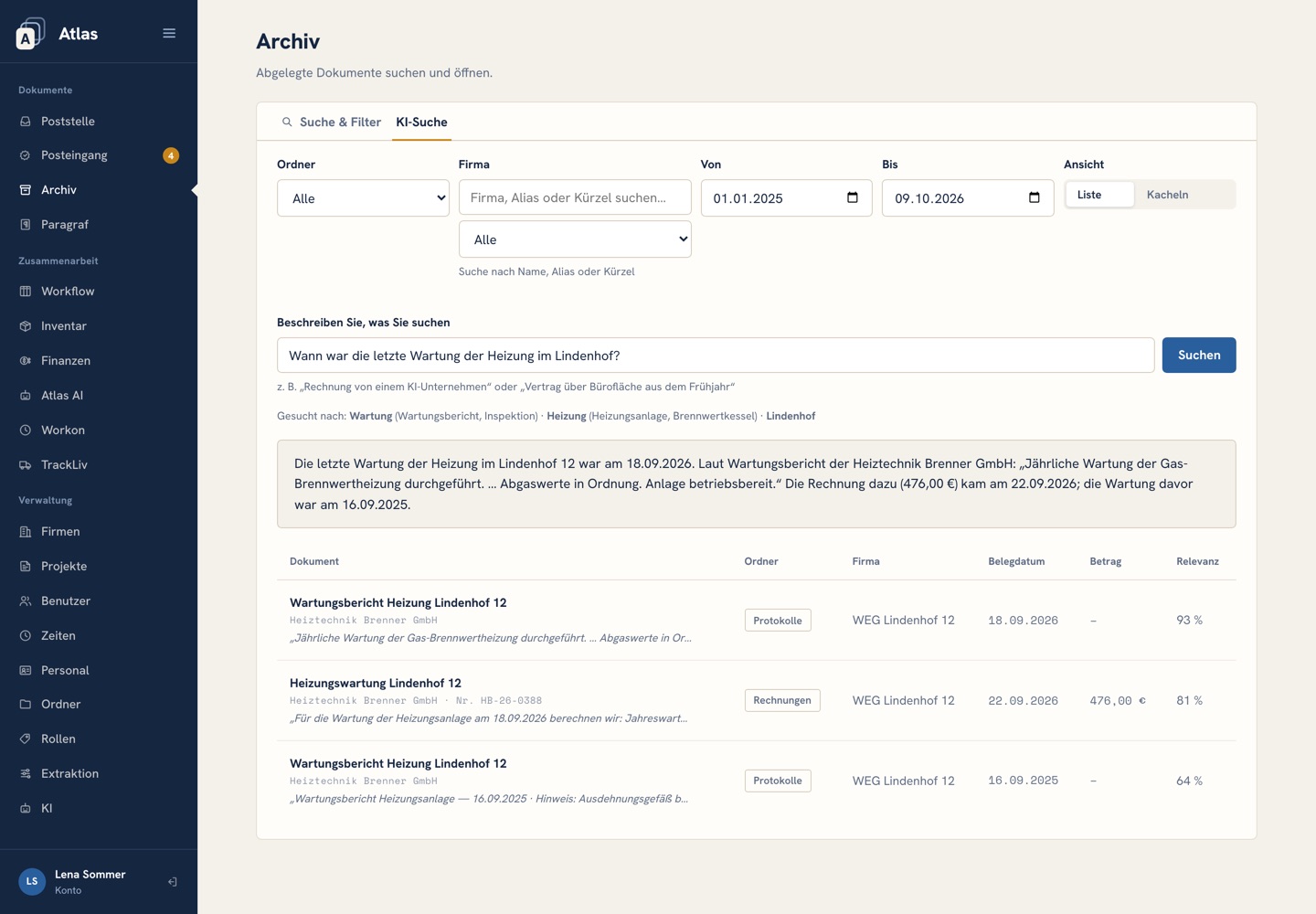
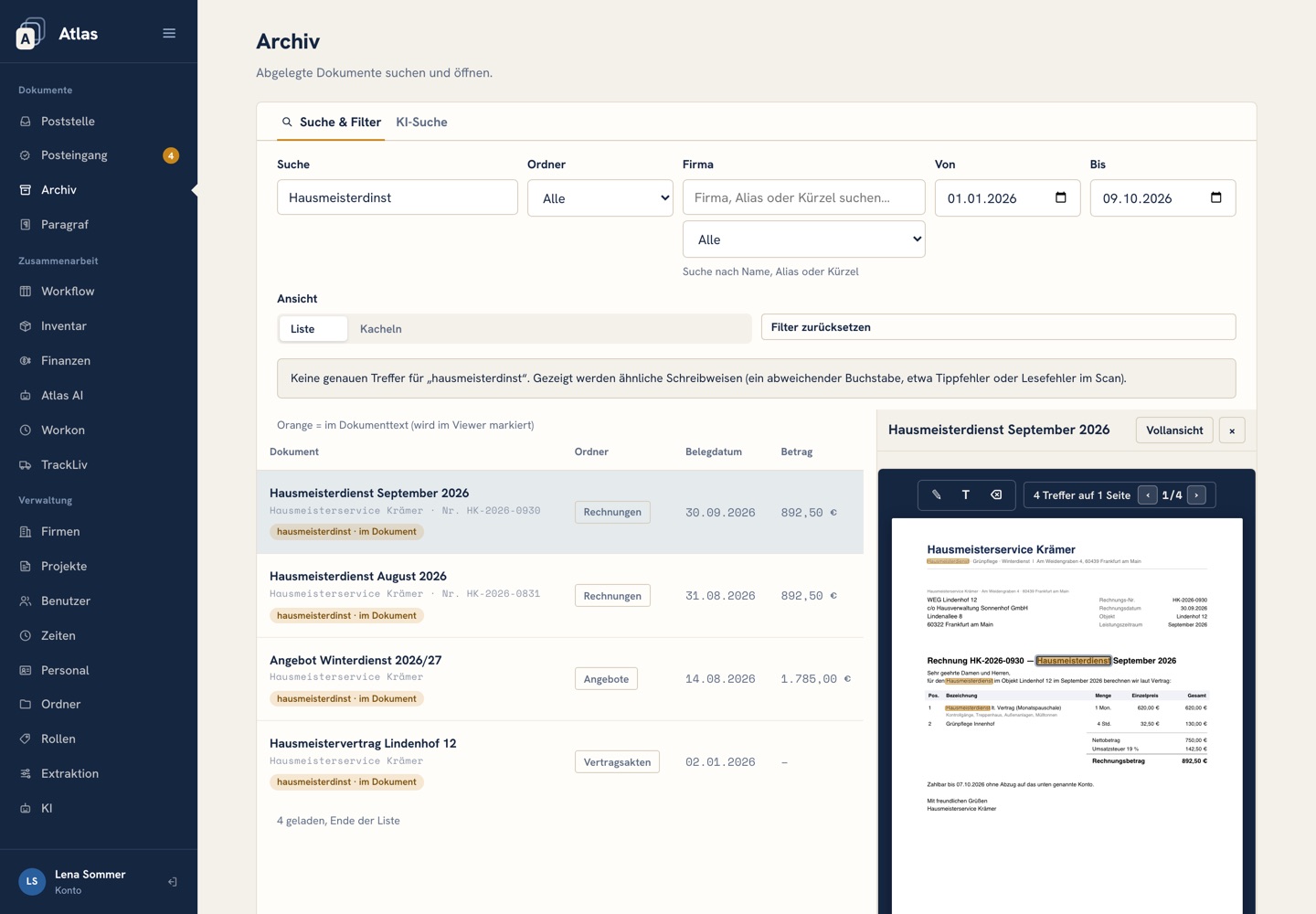
“When was the heating last serviced?” The AI search answers in full sentences and lists the matching documents alongside, each showing exactly where the answer was found. The keyword search finds the usual spellings and forms: Müller, Mueller and Muller; Rechnung and Rechnungen; 1500 and 1.500,00.
- Answers in sentences, matches with their location and highlighted text
- If the keyword search finds nothing, it suggests similar spellings
- Dates in any format: 15.01.2026, 15 January 2026 or 2026-01-15
- Select and copy text, scans included, and write on the document with a pen
Inbox: what is waiting for you
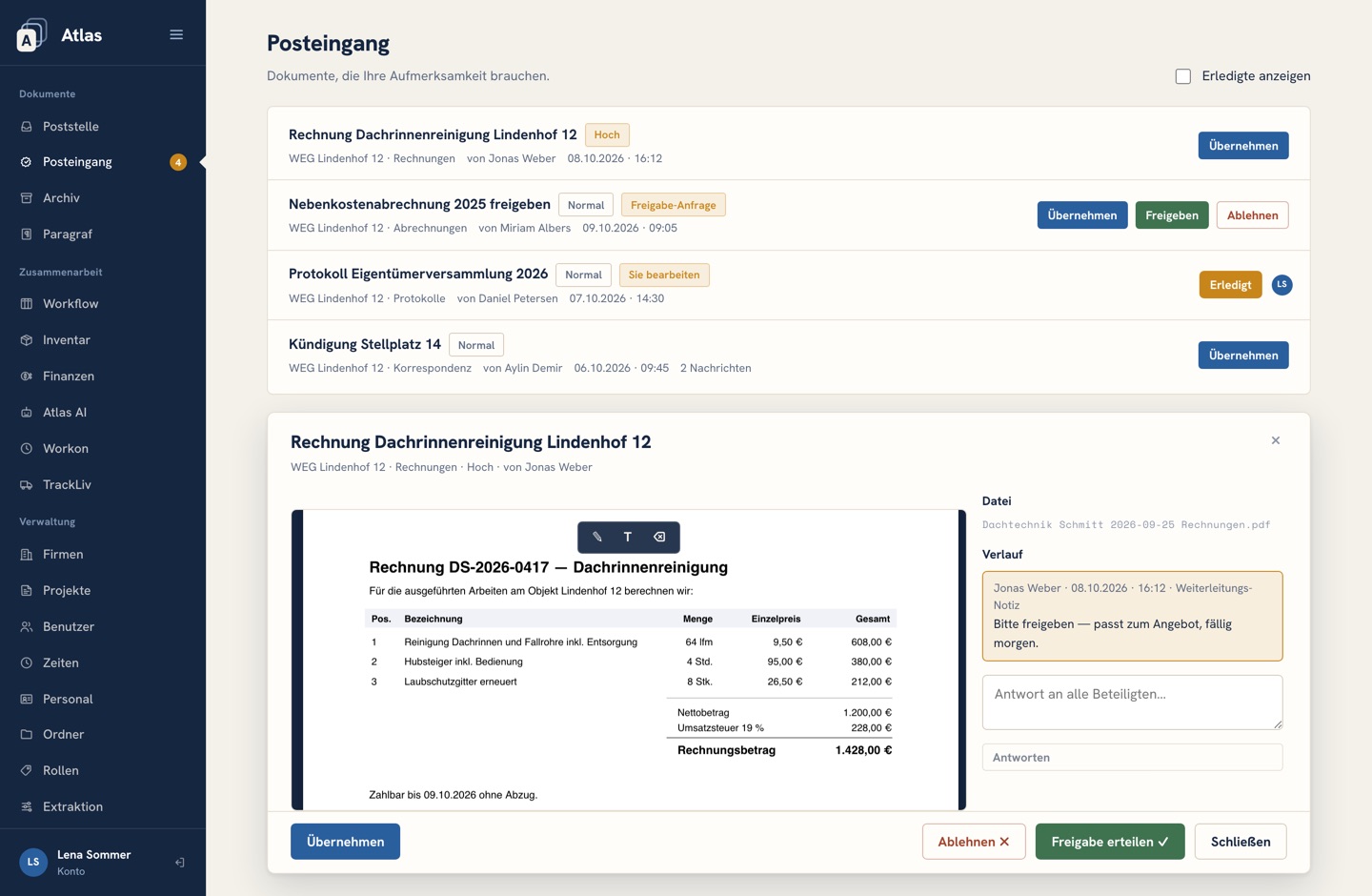
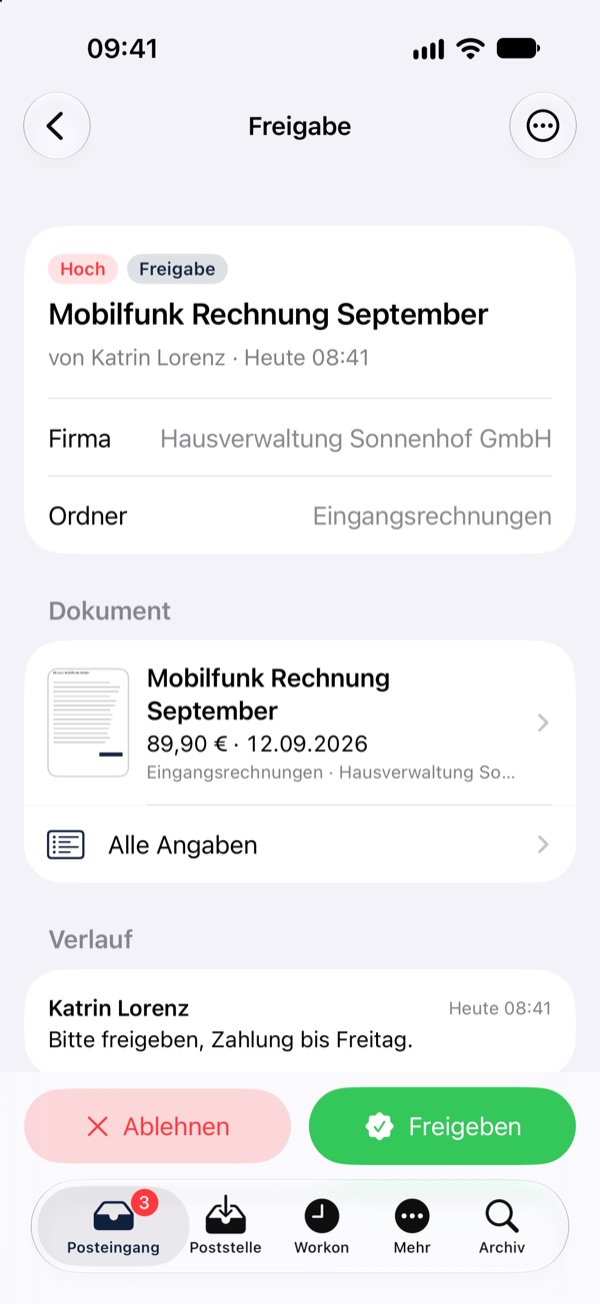
Forwarded documents, approval requests and queries land in each person’s Atlas inbox, complete with urgency, a note and their history. Approve straight from the list; a rejection always needs a reason.
- Forward to people or departments, marked Normal, High or Urgent
- Notes and the document’s log stay with it, from mailroom to archive
- A bell and a counter flag anything new, no reload needed
Workflow: tasks on boards
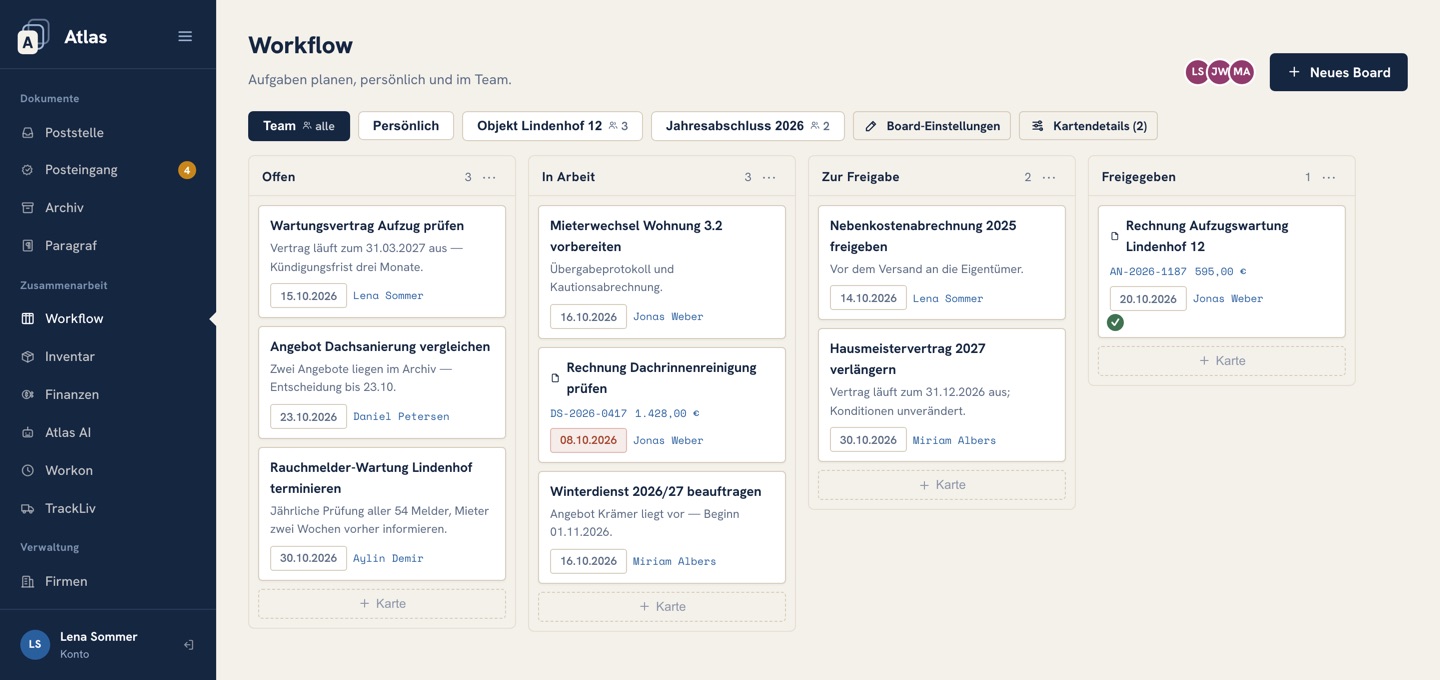
Documents become cards, and cards travel across columns. Request an approval and the card moves on by itself; the people responsible find it in their inbox. Board admins add new columns right on the board.
- Personal board, team board and further boards, e.g. per project, with their own members
- Request or grant approval, or reject it with a reason; name and date go on the card
- Due dates and assignees on every card, plus who is on the board right now
- Every move is recorded in the board log
Also in the base package
Properties and building projects with addresses and abbreviations. When one is mentioned in a document, Atlas suggests it during review.
Contract, weekly hours, holiday entitlement and supervisor for each employee. Pay details are visible only to authorised users.
Roles are templates for permissions: a new user gets the right access per company and folder in one step.
All reviewers work from the same pile, updated live. A name on each document shows who is reviewing it right now.
Documents filed under the catch-all company “Unbekannt” are checked again regularly and moved as soon as the document clearly names the company.
Everyone arranges their own menu and picks their start page; the layout follows them to every device.
Six tools, one package.
Payments, working hours, inventory, contracts and an AI assistant in the same system, plus TrackLiv crew dispatch, one click away in the Atlas menu. €99.99 a month for all users, add it at any time.
- 05FinanceWhat you pay to whom, from filed invoices.
- 06Workon & TimesheetsWorking day, holidays and sick notes; target vs actual hours.
- 07InventoryRentals, sales, invoices from your own template.
- 08ParagrafContracts from templates: answer questions instead of editing text.
- 09Atlas AIThe assistant that works inside the system.
- 10TrackLivDispatch for crews and vehicles, live on the map.
Finance: what you pay to whom
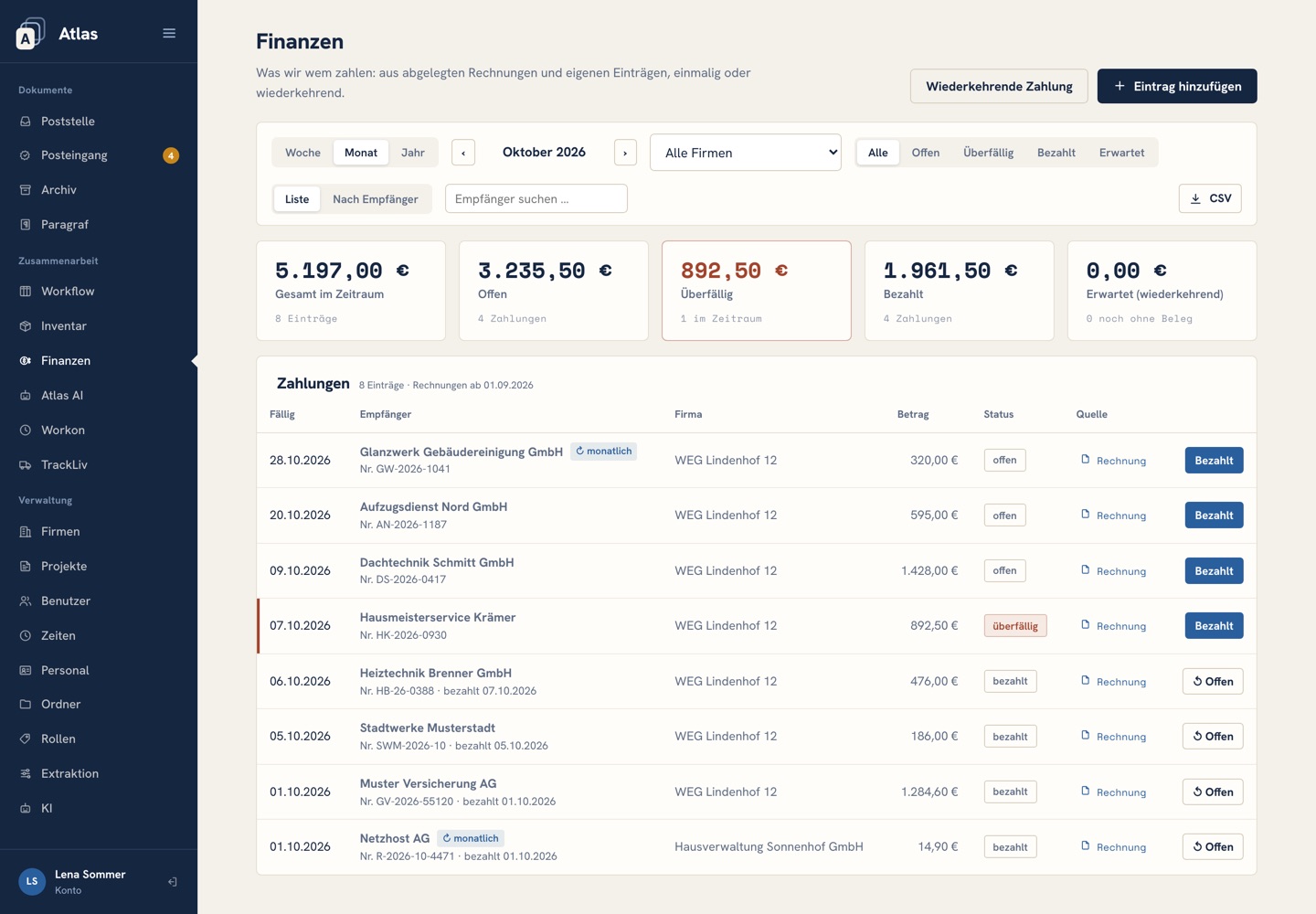
Filed invoices turn into payments automatically, and credit notes are deducted. Open, overdue, paid or expected: by week, month or year, for one company or all of them.
- Recurring payments: Atlas tracks every due date and flags any missing invoice
- Manual entries are linked to the matching invoice instead of being counted twice
- Grouped by payee, with an annual overview and CSV export
- Foreign currencies kept separate from the euro total
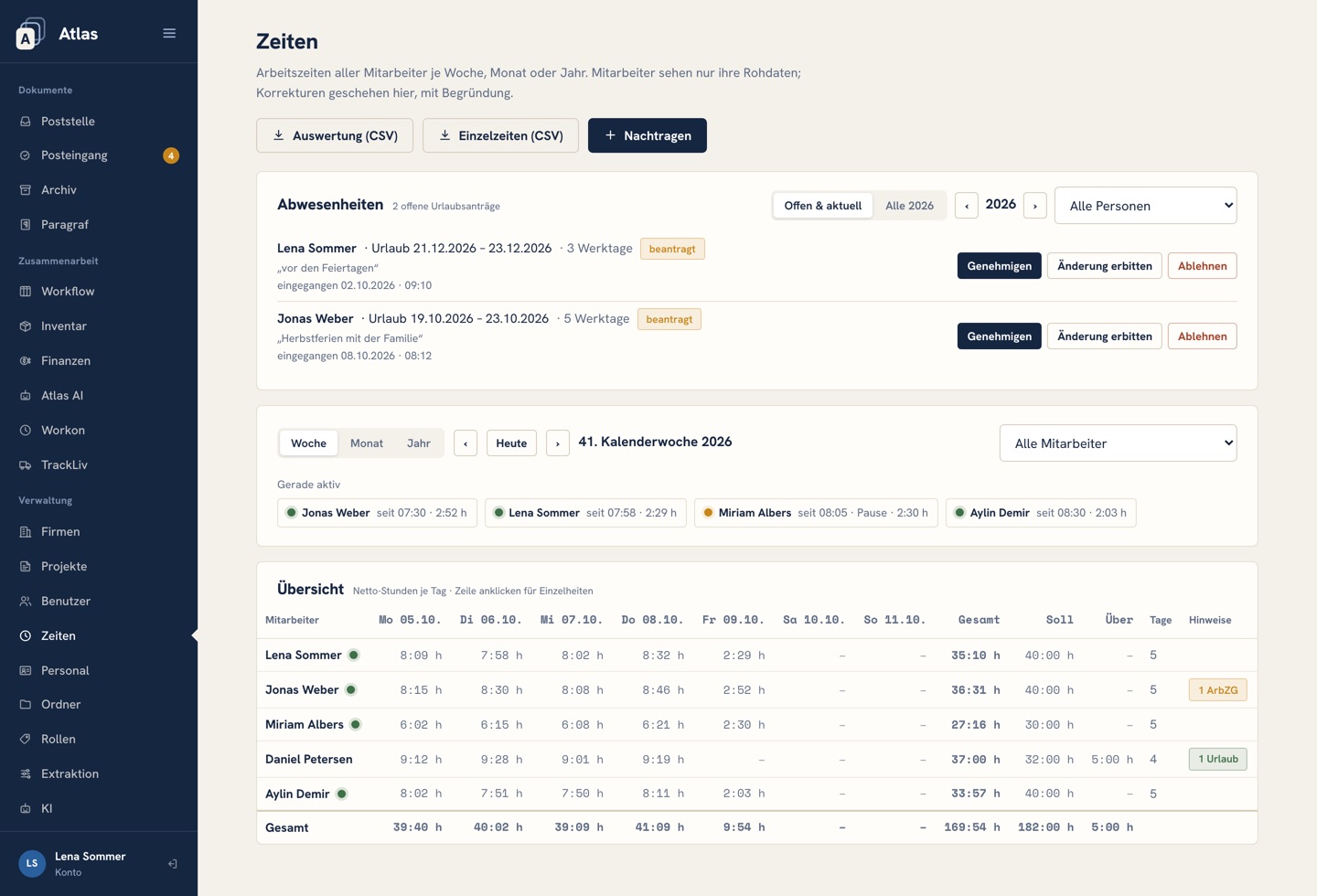
Workon & Timesheets: working hours, holidays, sick notes
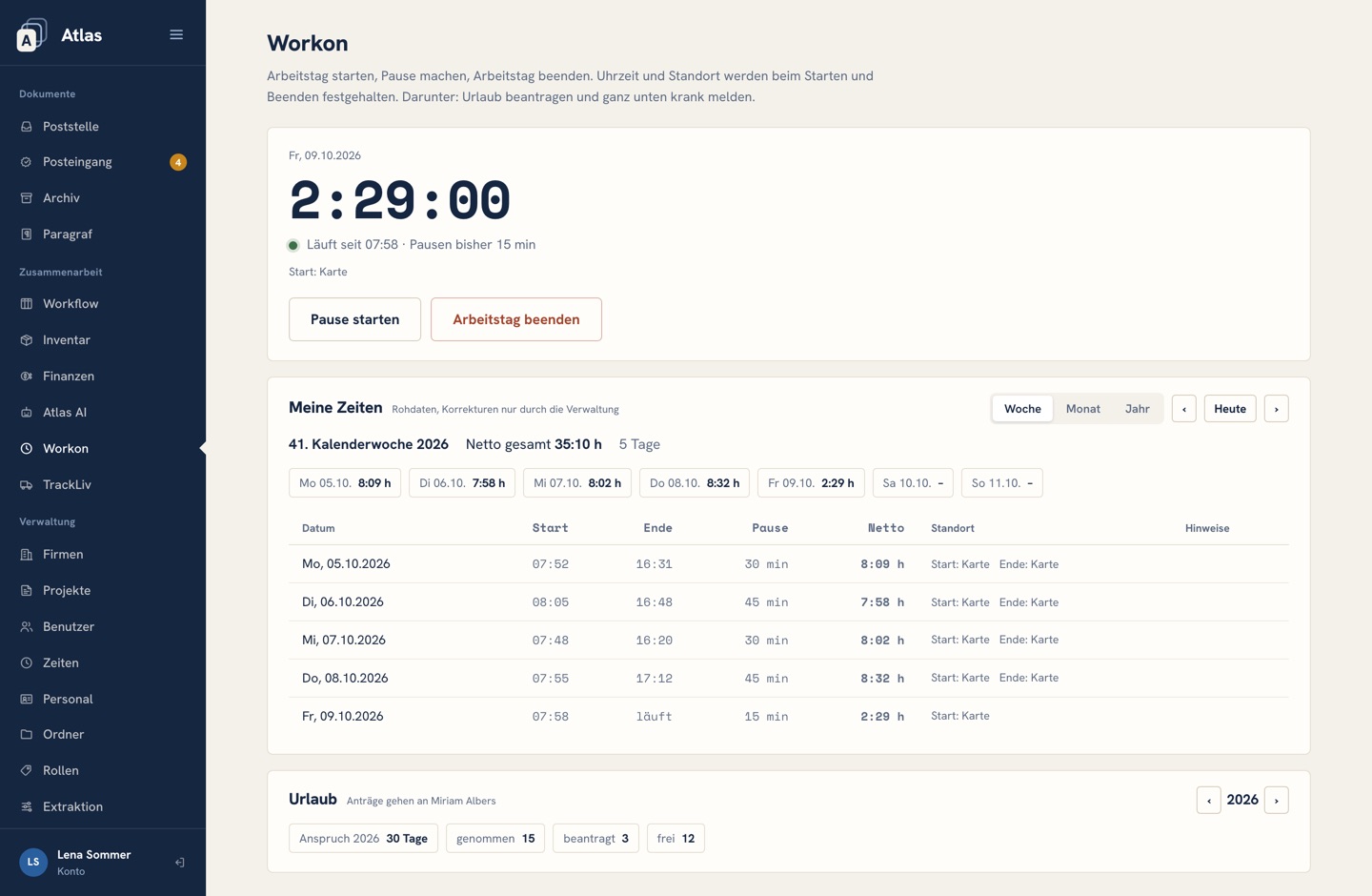
Employees start, pause and end their working day in the browser, on their phone too. Holiday requests and sick notes go straight to their supervisor’s inbox.
- Server time, not the device clock; location recorded only when clocking in and out, no movement tracking
- Holiday balance with entitlement; Monday to Friday counts, public holidays don’t
- Sick note with a photo of the certificate, no diagnosis needed
- Target hours, actual hours and overtime per week, month and year; corrections only with a reason
- Flags breaks and maximum hours under the German Working Hours Act; breaks are never deducted automatically
Inventory: rent out, sell, invoice
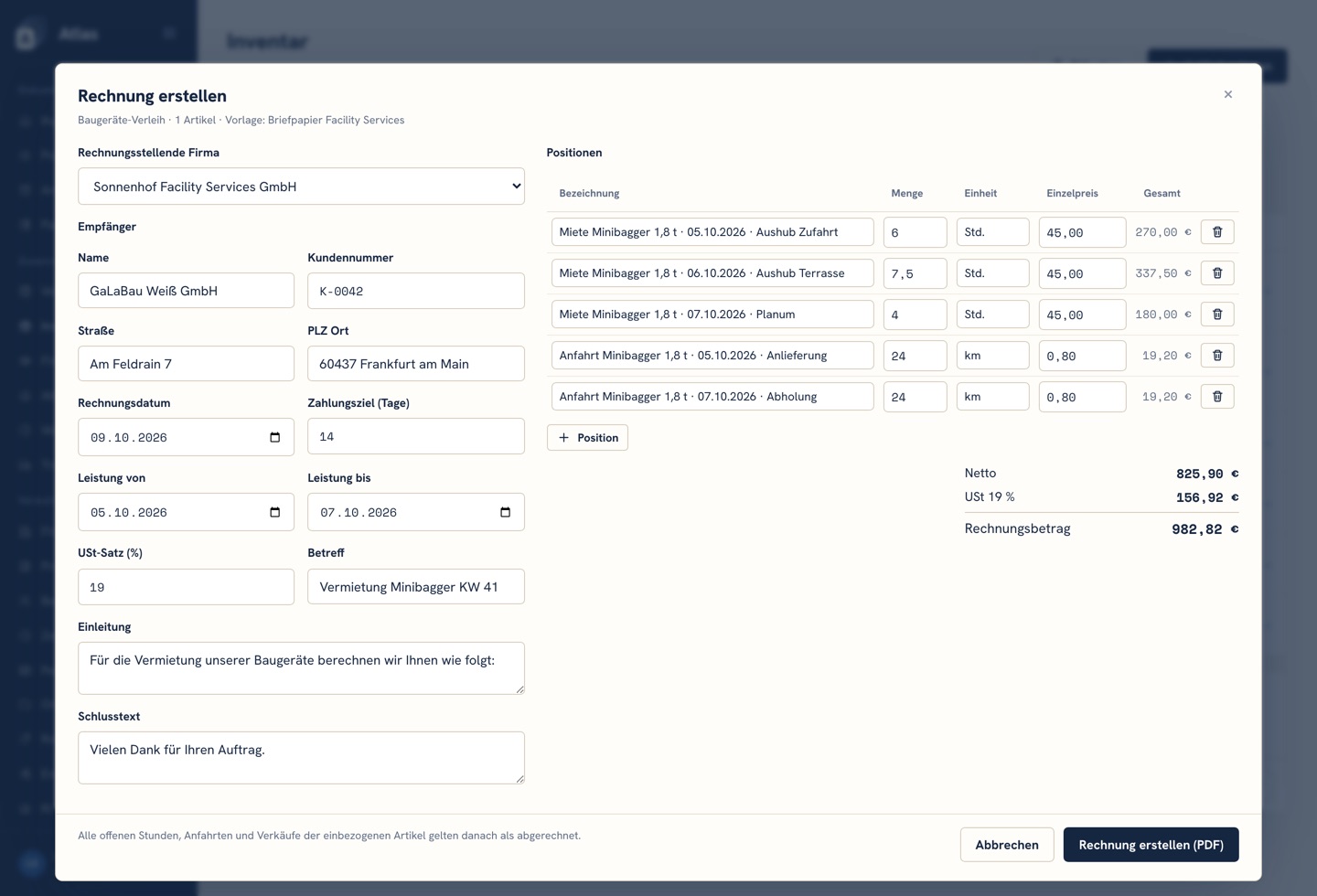
Stock lists work like boards: you decide who sees them and who may invoice from them. Rentals with an hourly rate and trips, sales with buyer and price, custom labels for everything else.
- One-click invoice from your own Word template, as a PDF
- Consecutive invoice numbers per company and year
- The invoice is filed in the archive automatically
- Hours and trips are marked as billed once invoiced
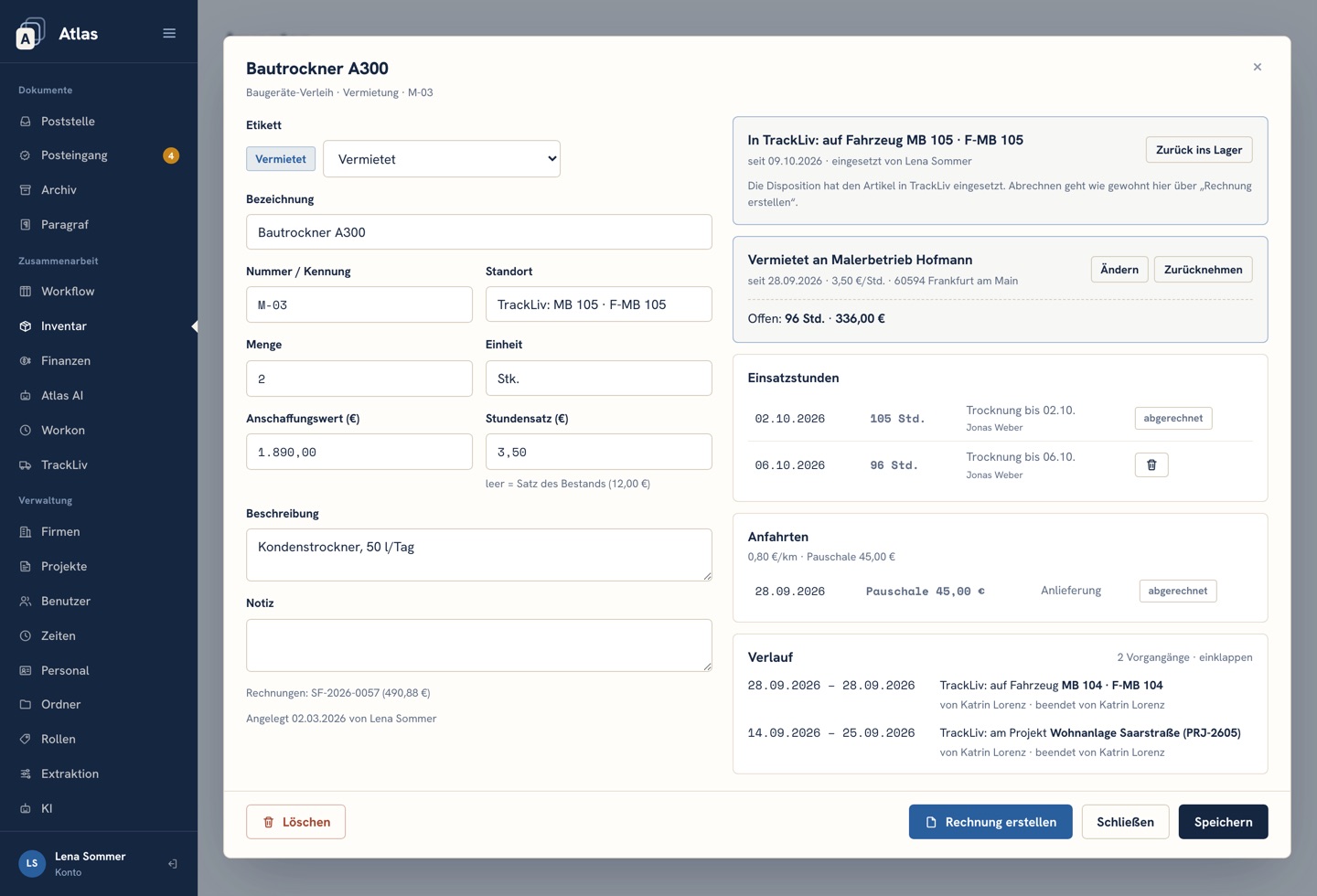
- Anything TrackLiv puts on a vehicle or a site shows on the article, with location and name
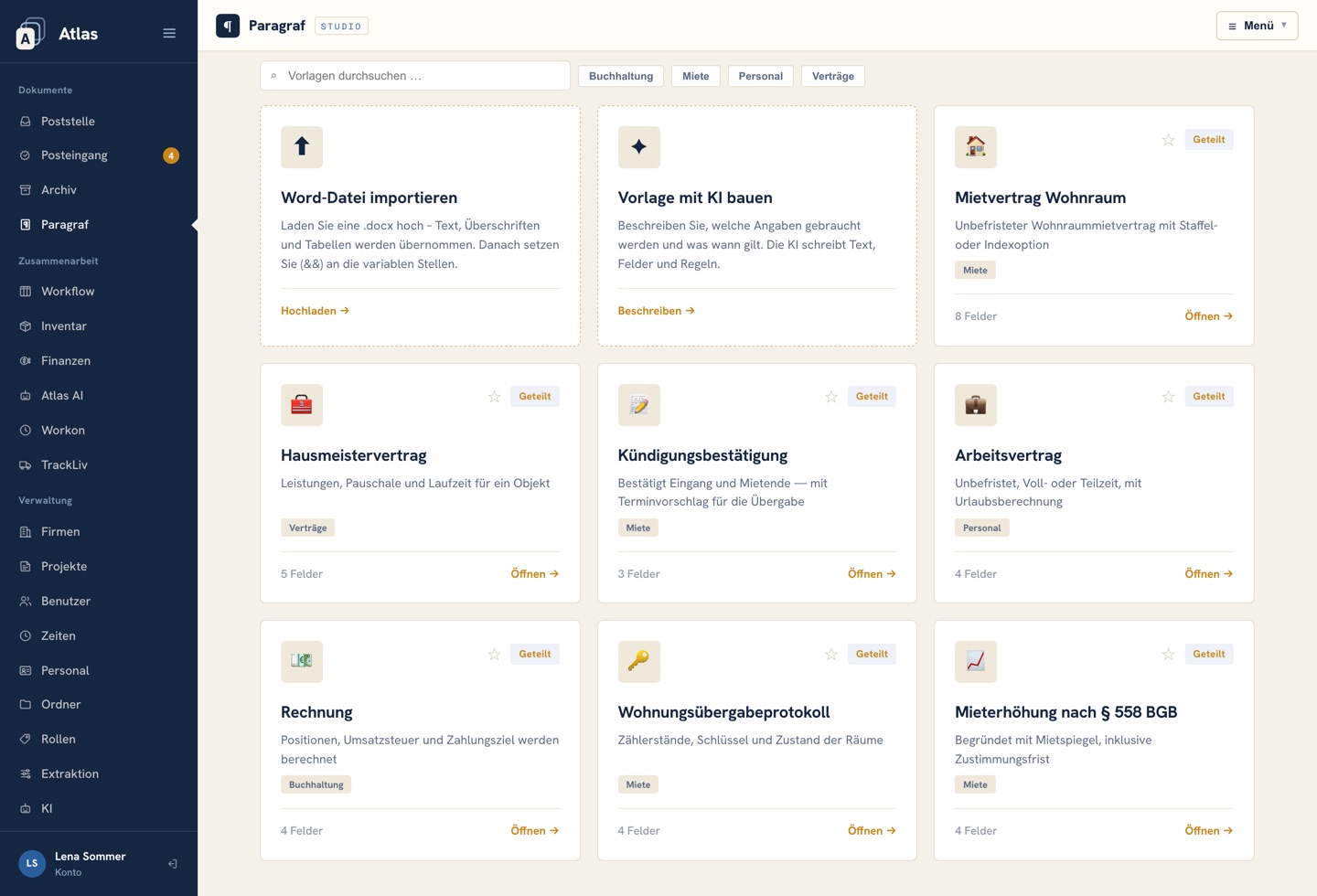
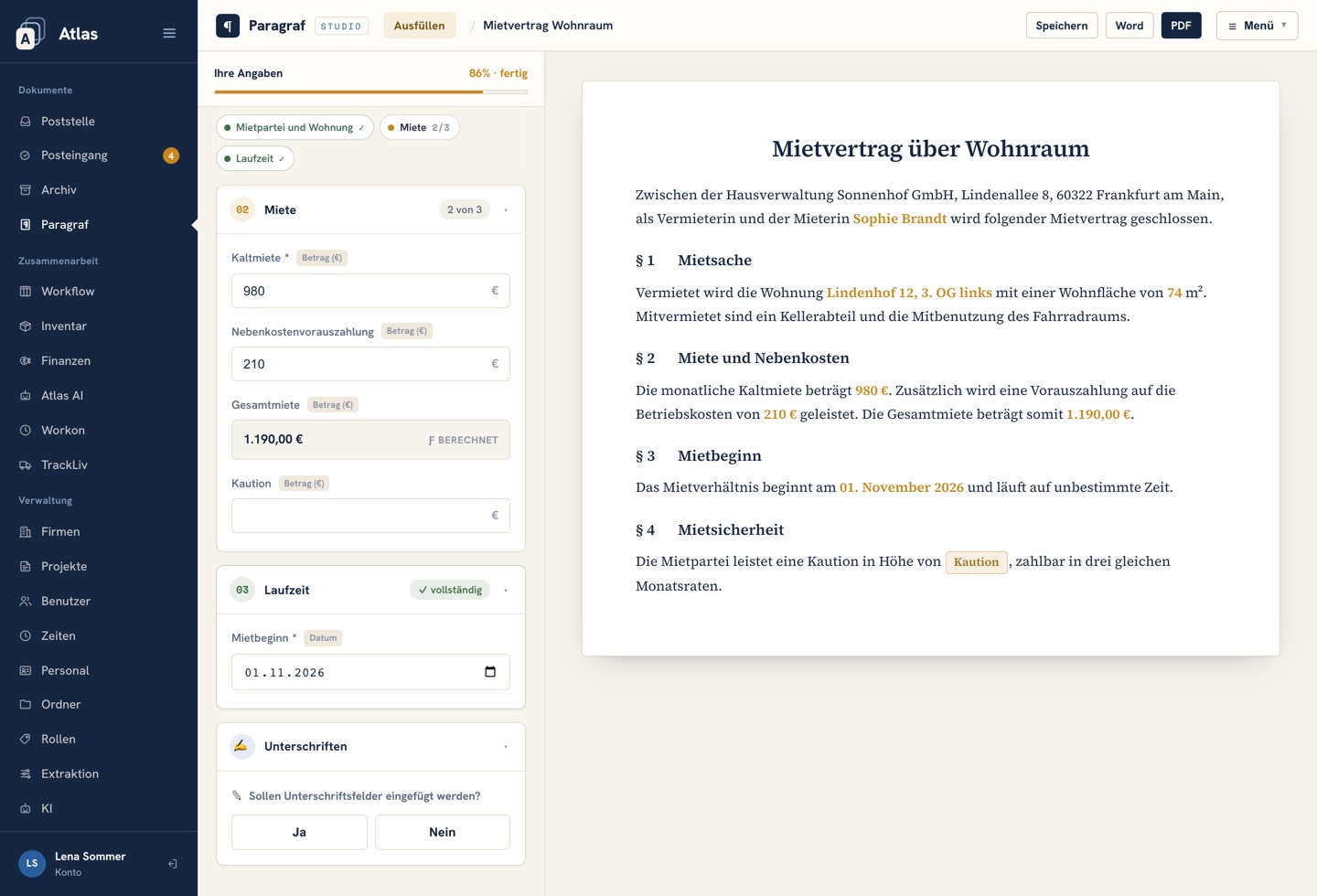
Paragraf: contracts from templates
Upload a Word file and mark the variable parts, or let the AI build the template: just describe which details are needed and what applies when. The person filling it in only answers questions, and the contract writes itself alongside.
- Yes/no clauses, gender-specific wording, automatic numbering
- Calculated fields and deadlines, such as start date plus 14 days
- Annexes, signature block and a letterhead per company
- Export to Word, PDF via the print view; permission to use, edit and delete is set per user
Atlas AI: the assistant inside the system
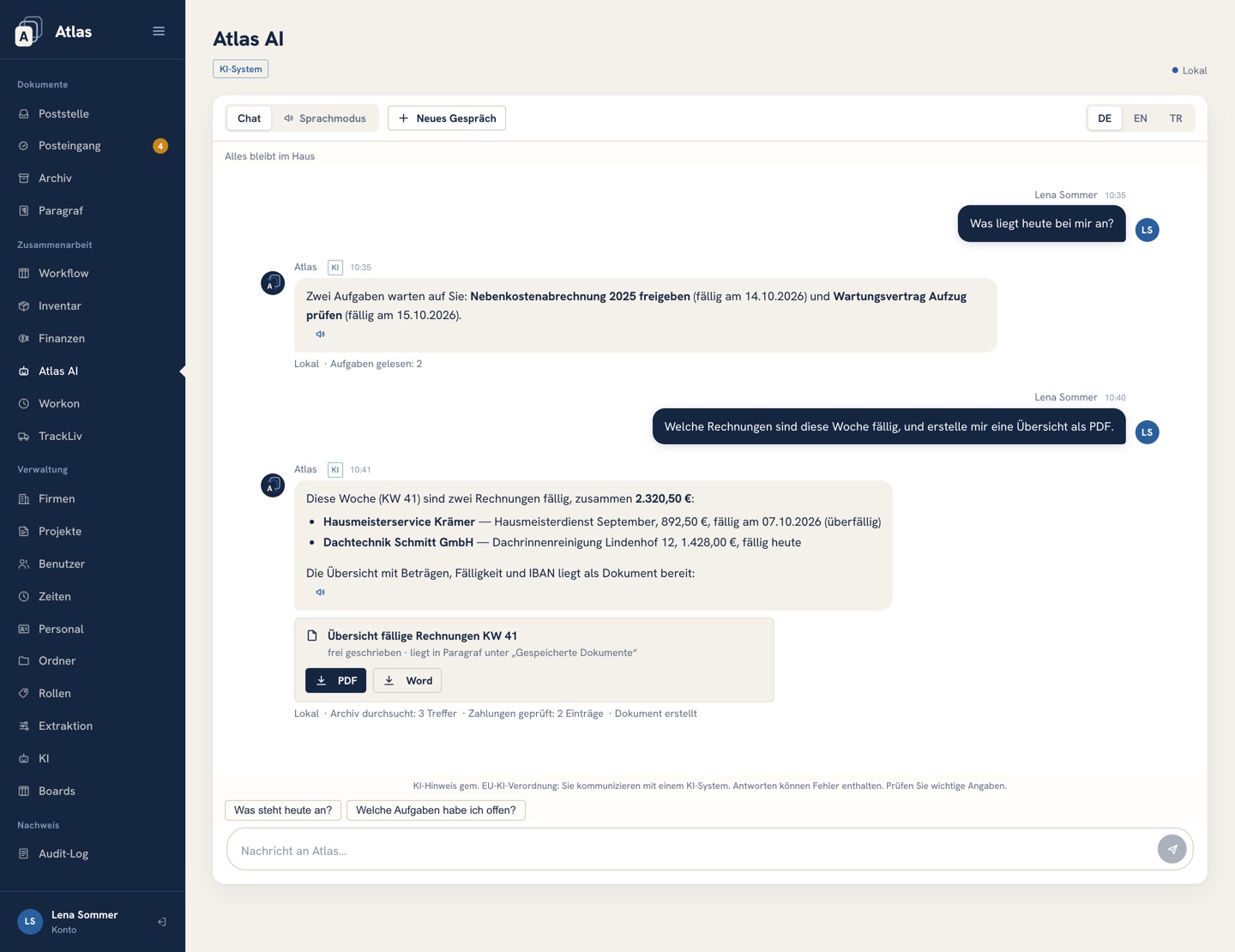
Atlas AI searches the archive, answers questions about outstanding payments, creates tasks and produces documents from Paragraf templates, always within the permissions of the person asking. Every step it takes is shown.
- Knows documents, boards and payments
- Creates PDF and Word documents right in the chat
- Reads answers aloud in a voice running on our server; dictation uses your browser’s speech recognition, which runs on the device or through the browser maker’s online service, depending on the browser
- Runs on local AI only: documents, typed questions and answers stay on our server
Included in the price · no usage-based charges
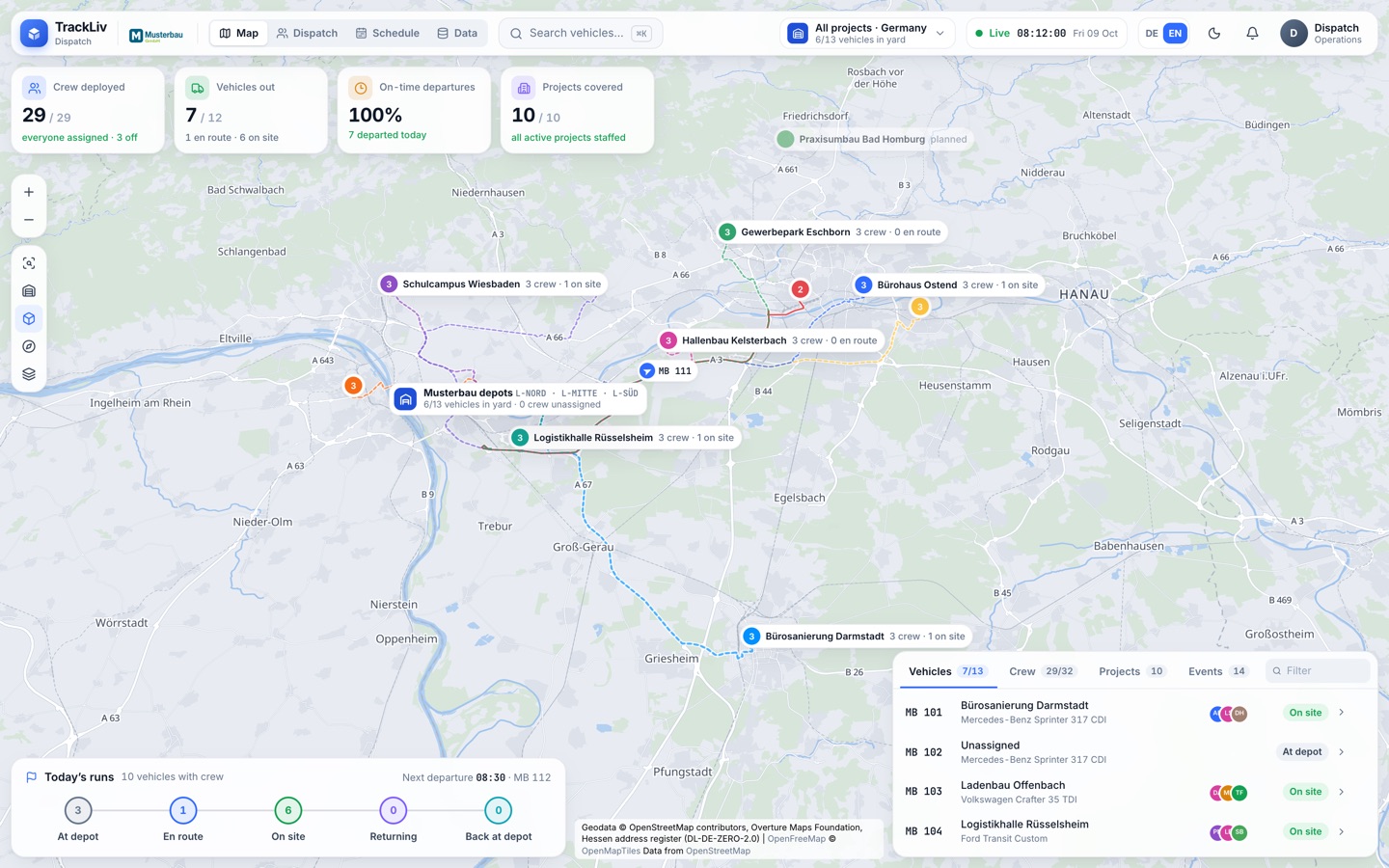
TrackLiv: who goes where, live on the map.
With TrackLiv you plan the day’s crews and vehicles and see where the vehicles are right now: every job site on one map, the vehicles live from your FleetGO telematics, your depot to scale in 3D. TrackLiv is included in the app add-on and opens from the Atlas menu, signed in with your Atlas account; we set it up for you.
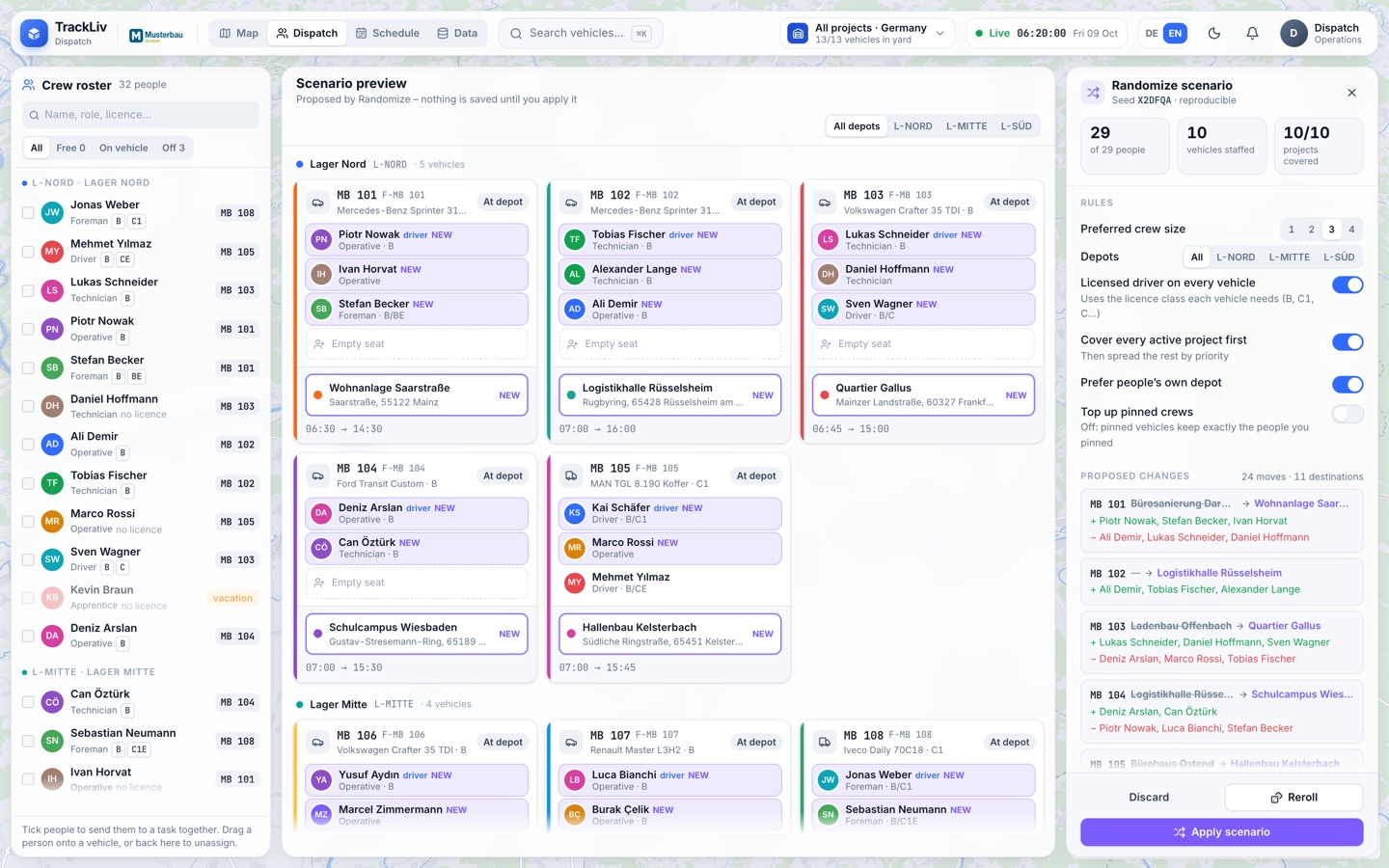
Dispatch: drag crews onto vehicles
Drag people onto vehicles and give each vehicle a destination from the project list or any address. TrackLiv can also propose a plan for the whole day, with a preview of every change; anything pinned stays put.
- Licence classes from B to CE: TrackLiv warns when nobody on board holds the right class
- Pin a person, a destination or a whole vehicle
- The suggested plan staffs every active project first, preferably with people from their own depot
- Plan tomorrow or any other day; every step can be undone
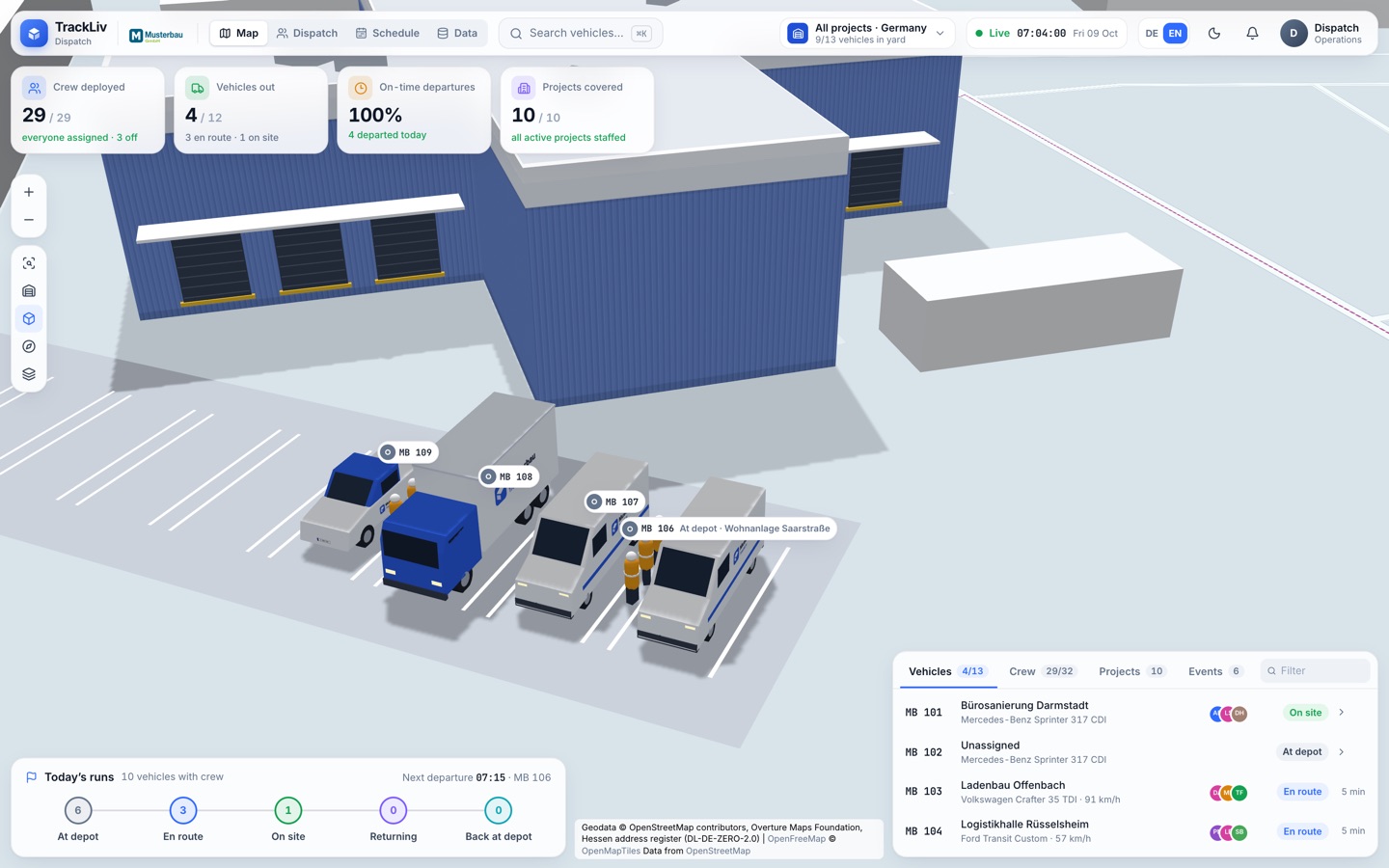
Depot: in 3D, to scale
Zoom in on a depot and it turns three-dimensional: real building footprints, heights from map data, the yard with its parking bays, every vehicle at its GPS position and the crew right beside it. You can see at a glance who is ready to go.
- We model your depots in 3D for you at the start
- Vehicles point in their direction of travel and move smoothly
- Dark mode for the wall screen in the dispatch office
Trips: from departure back to the depot
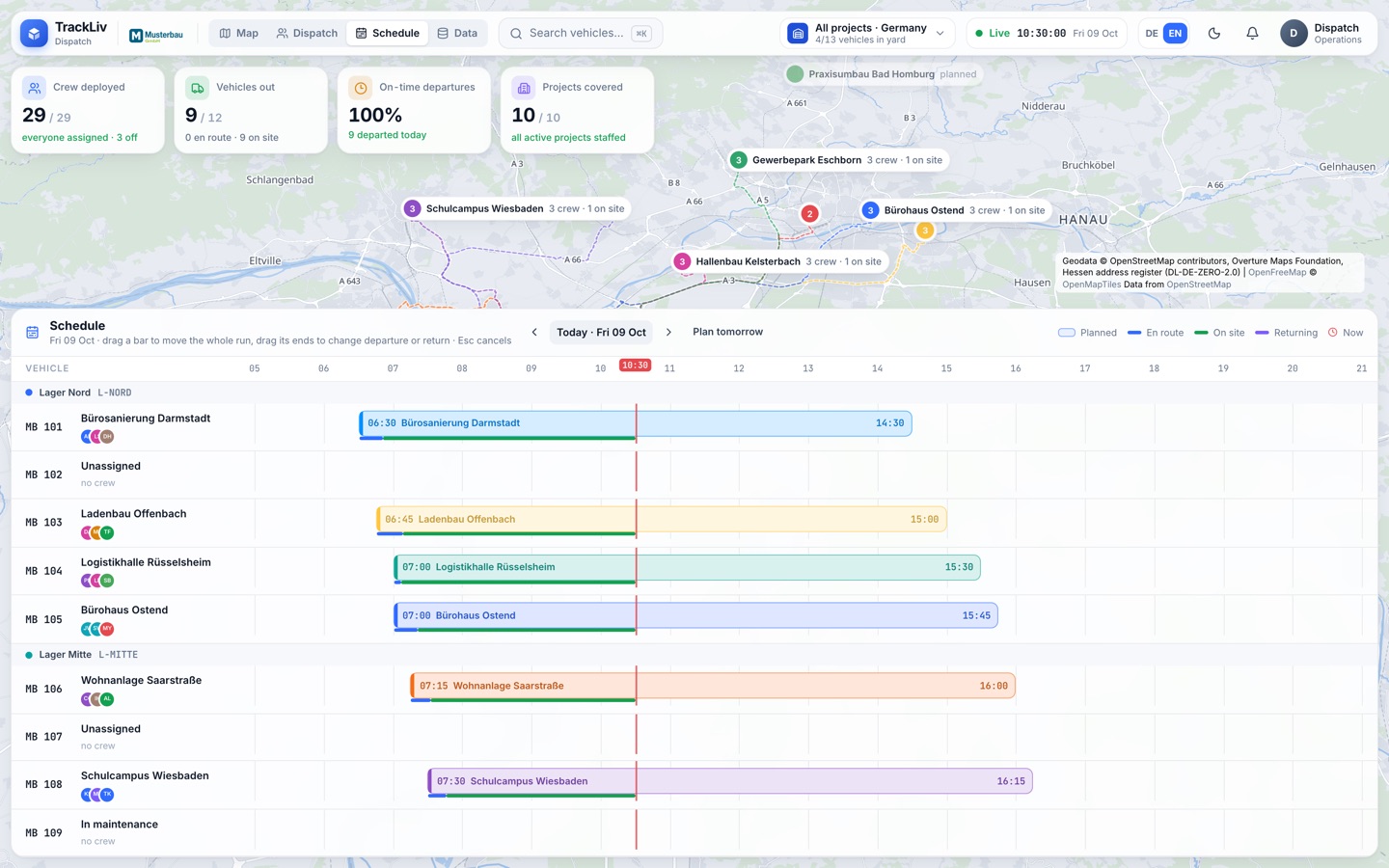
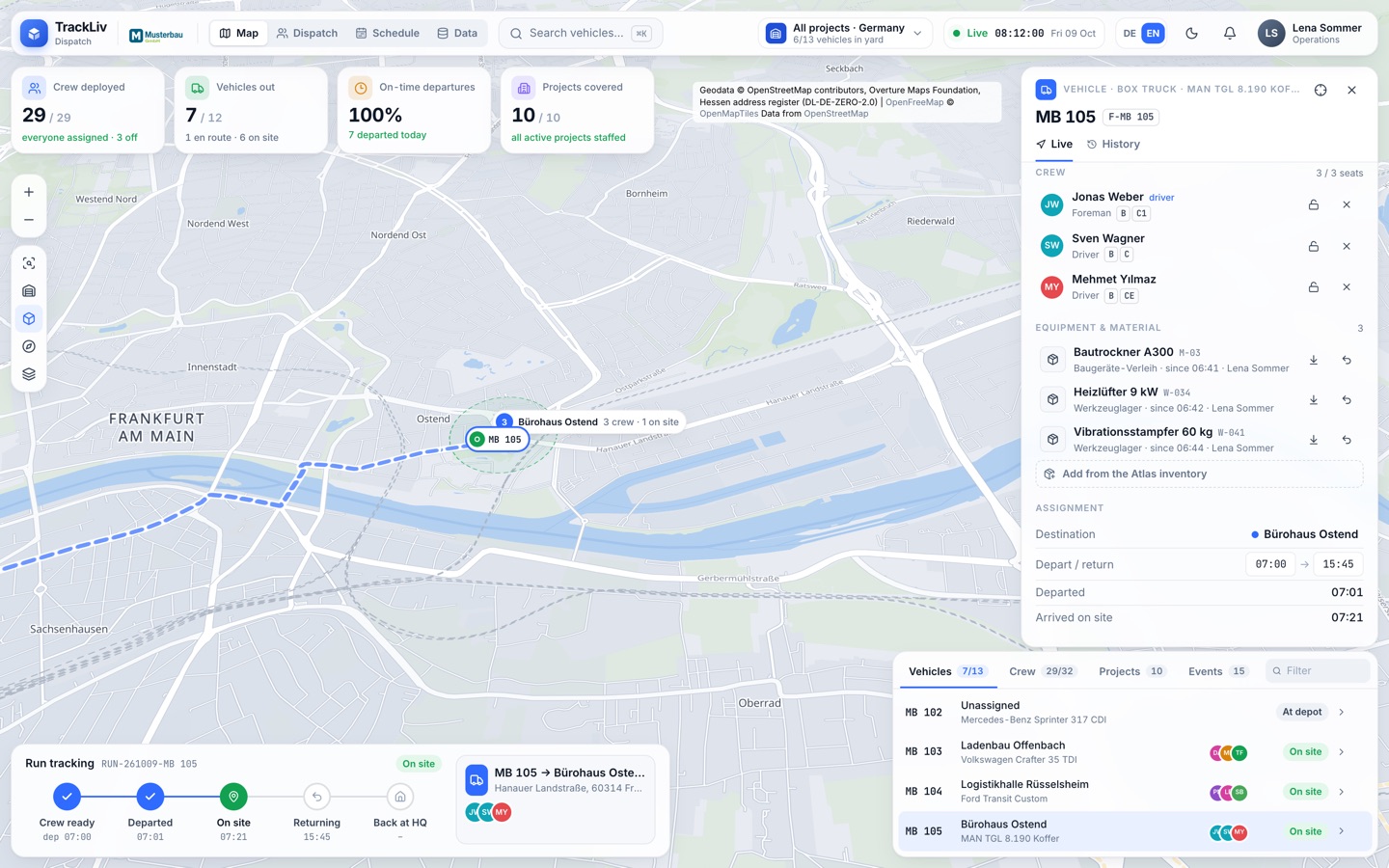
Vehicle positions arrive continuously from your FleetGO account. TrackLiv detects by itself when a vehicle leaves, arrives on site, heads back and returns to the depot, and enters the actual times in the schedule.
- An alert when a crew still hasn’t left 15 minutes after the planned departure
- Schedule with planned and actual times; drag a bar to reschedule
- Vehicle history up to 120 days back: stops, trips, kilometres
- Several dispatchers can work at once; every change appears instantly and is logged under the dispatcher’s name
Equipment: the Atlas inventory on vehicles and sites
From a vehicle or a project, dispatchers pick equipment and material straight from the Atlas stock lists they may see: load it onto a vehicle, leave it at the site, send it back to stock. In Atlas, the article shows where it is, since when and who put it there.
- Every step is recorded in the article’s history
- A badge on the dispatch card shows what is on board
- Invoicing stays in the Atlas inventory, as before
- TrackLiv opens from the Atlas menu in one click, already signed in; you decide per user who may use it
Atlas for iPhone, iPad and Mac.
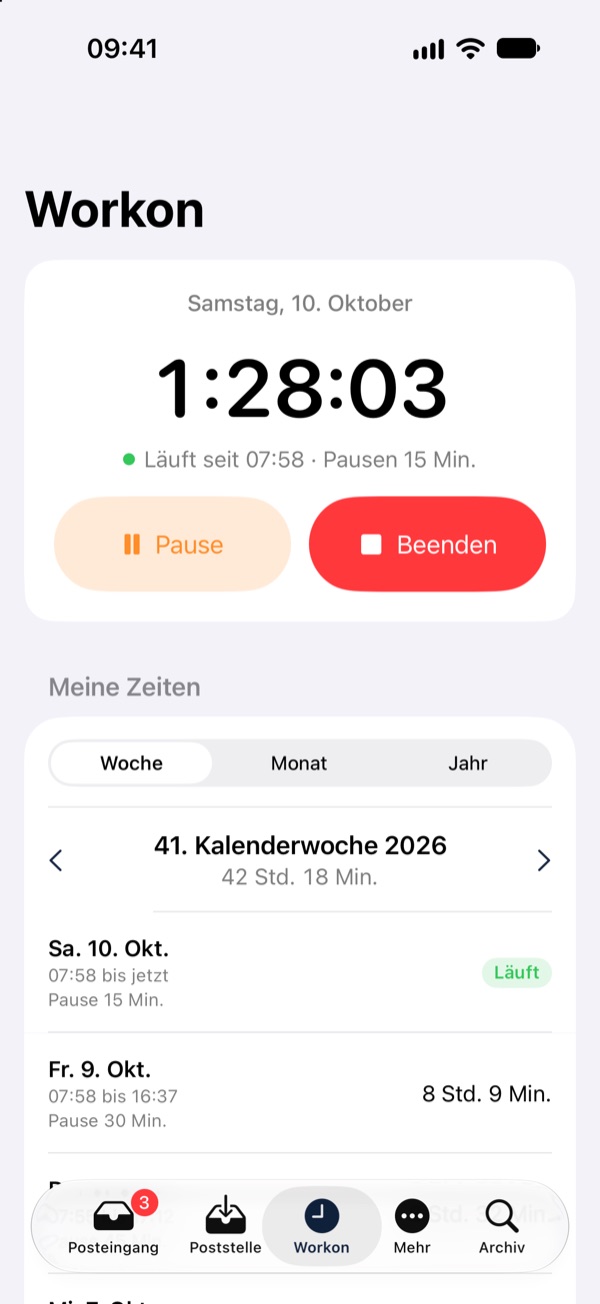
The iPhone and iPad app brings the key areas as screens of its own: inbox, mailroom with document scanner, archive and Workflow, and with the app add-on also Workon and Atlas AI. Paragraf, inventory and finance open inside the app with the same sign-in.
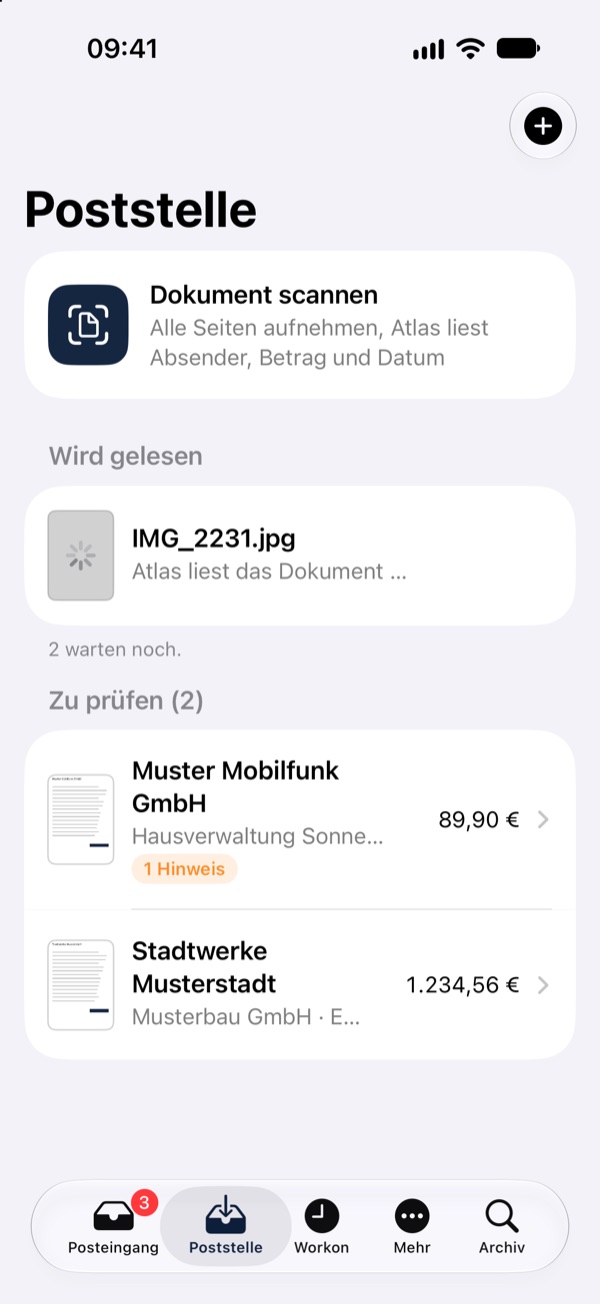
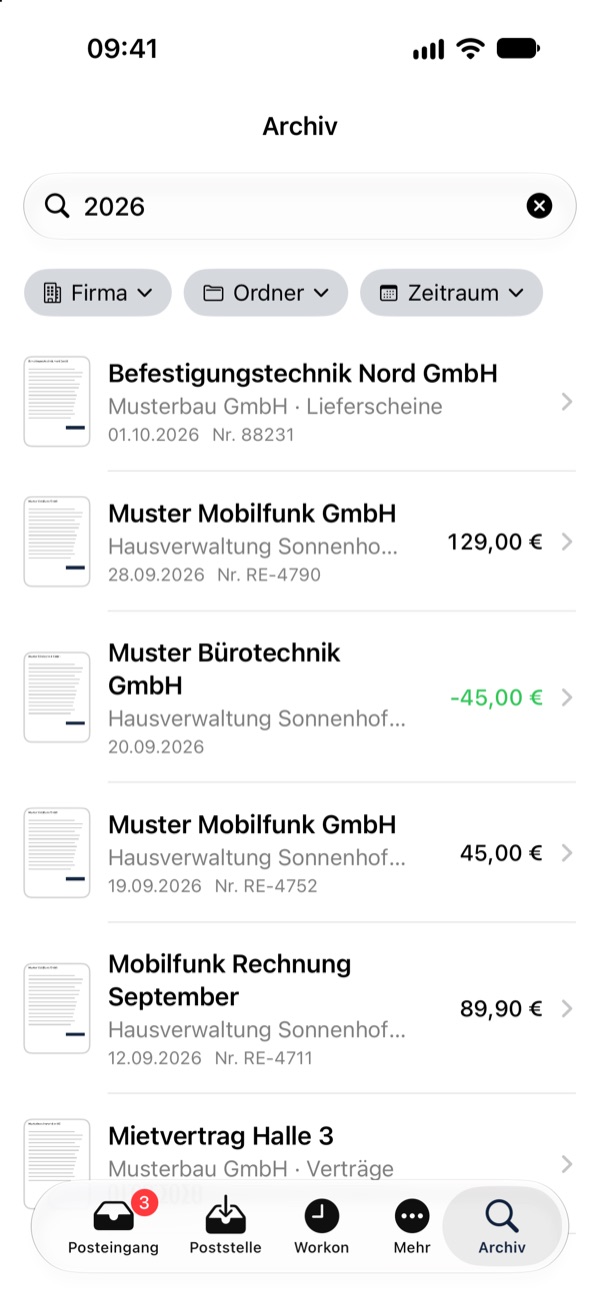
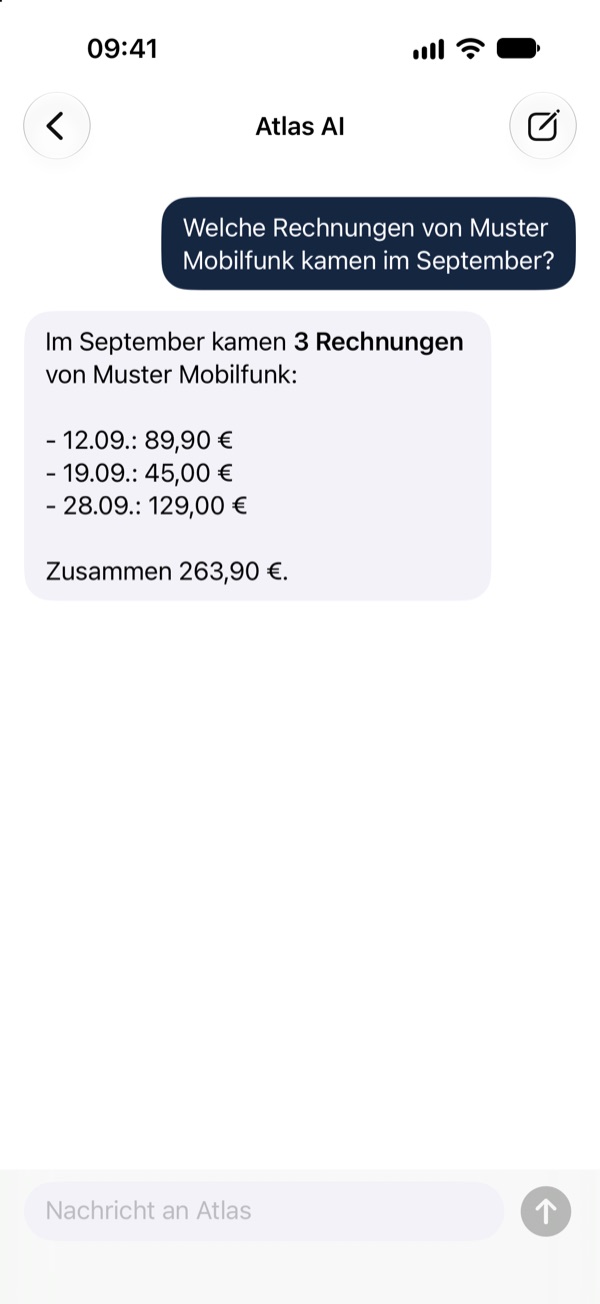
- Scan documents with the camera, or pass them to the app’s mailroom via “Share” from Mail, Files and Photos; one tap uploads them
- Grant approval or reject it, sign off holiday requests, start your working day with one tap
- Widgets, Siri and Shortcuts; the number of open items shows on the app icon
- Confirm sign-ins on a computer with your iPhone; optional app lock with Face ID or Touch ID
- Mac app: Atlas and TrackLiv (app add-on) in one window, with notifications and a badge in the Dock
- iPhone & iPad
- In testing. We roll it out to your company devices via Apple Business Manager or MDM and set it up with you. iOS 18 or later.
- Mac
- On request. macOS 13 or later, for Macs with Apple silicon or Intel processors.
- Windows
- In preparation.
The apps are in German. Administration and admin accounts use Atlas in the browser. Screenshots: iPhone app with sample data.
Two-factor sign-in. Every time.
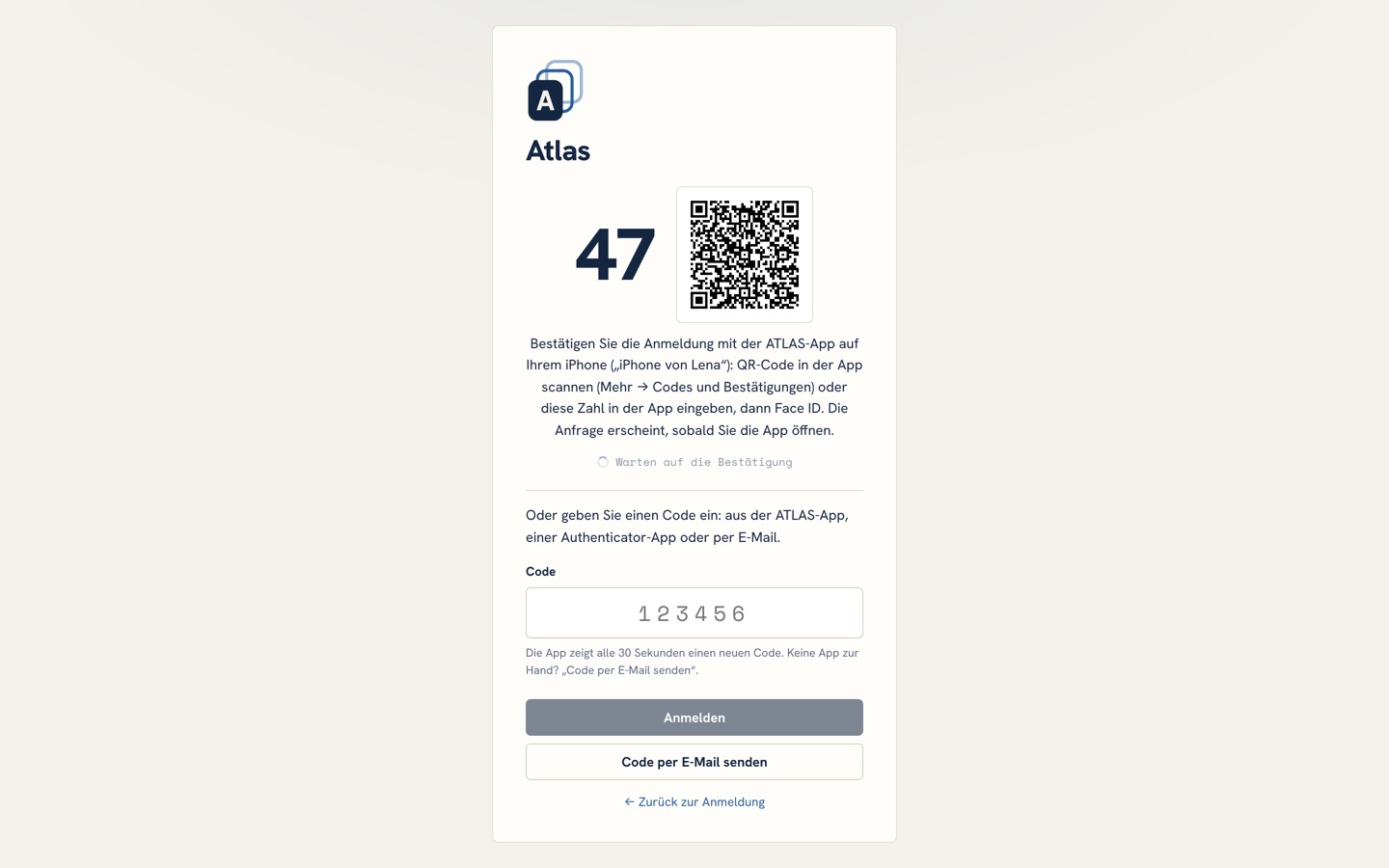
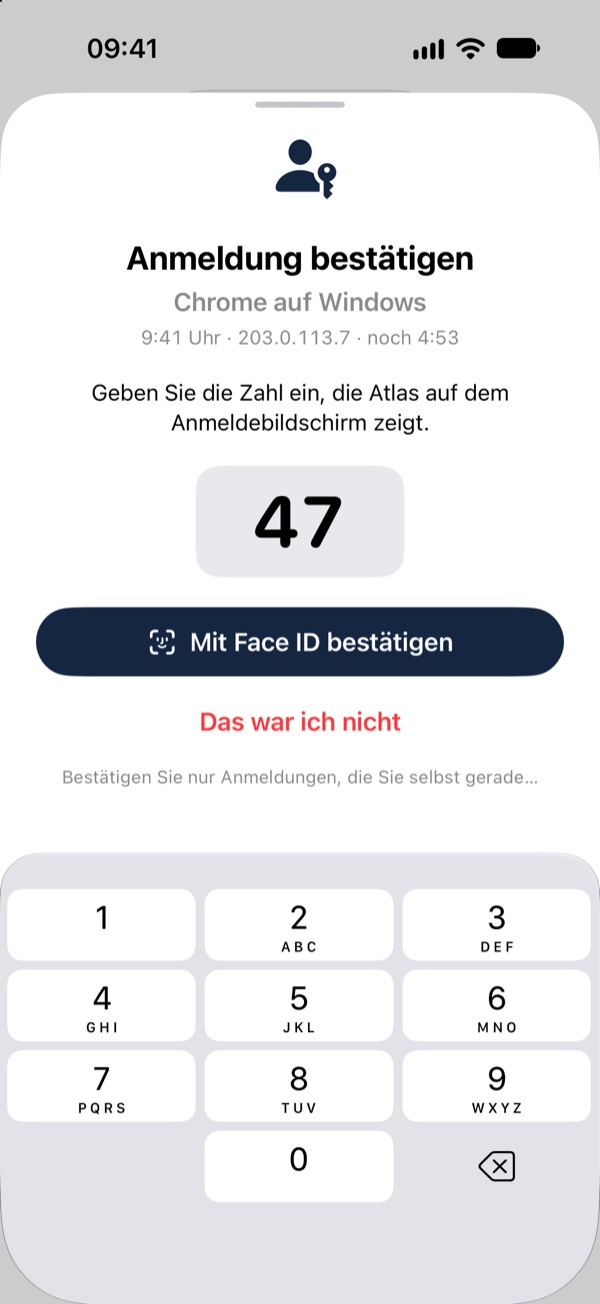
After your password or passkey, Atlas asks for a second factor at every sign-in: a code by e-mail, a code from an authenticator app, or a confirmation in the ATLAS app on your iPhone (in testing). Sign-in runs on our own server, with no third-party login service.
Sign in with Face ID, fingerprint or your device lock instead of a password; the second factor still follows.
Codes from an authenticator app instead of by e-mail, set up with a QR code.
Confirm a sign-in on a computer with the ATLAS app: type in the number or scan the QR code, followed by Face ID or Touch ID. The app is currently in testing.
Admin rights apply only after signing in with a passkey, and the admin confirms every change to users, permissions and settings individually with their passkey.
If something looks suspicious, such as several deletions right after a password change, Atlas stops the action, puts the account on hold and sends the account holder a code to release it.
Admins can block users for a set time, sign them out everywhere or, in an emergency, close the portal to everyone except admins.
Your documents stay your documents.
Hosted in a German data centre. Every customer gets a separate portal with its own databases and file storage.
OCR, data extraction, AI search, Atlas AI and Paragraf run only on our own server. There is no cloud AI: your documents, questions and answers are never sent to an AI provider. Only dictation uses your browser’s own speech recognition.
Read, write, edit, delete: per user, company and folder, enforced on the server. Protected folders are visible only to authorised users.
Every change and every sign-in is recorded in the audit log, hash-chained and unalterable. Downloads and exports are also recorded, in a separate access log.
Uploaded files are identified by their real file signature, not their name. Passwords are stored only as hashes.
New versions reach every portal automatically, with no effort on your part.
One base package, three extras.
Example: 5 users with the app add-on cost €539.96 a month (399.99 + 2 × 19.99 + 99.99). Cancellable monthly.
Etra Atlas
Base package with 3 users
- Mailroom, review and archive
- OCR and AI search
- Inbox and workflow boards with approvals
- Projects, personnel files and folder permissions
- Your own portal, hosting and updates
- Audit log with a verifiable chain
- 300 GB of storage included
Additional users
per user from the fourth
- Personal sign-in and board
- Permissions per company and folder
- Inbox and approvals
App add-on
for all users
- Finance: payments from invoices
- Workon & Timesheets: hours, holidays, sick notes
- Inventory: rentals, sales, one-click invoices
- Paragraf: contracts from templates
- Atlas AI: assistant for archive, boards and payments
- TrackLiv: dispatch with a live map
More storage
300 GB of storage is included in the base package. Need more? Add extra storage at any time, cancellable monthly.
All prices are per month, plus VAT at the statutory rate. Payment by SEPA Direct Debit or card. The AI runs only on our own server and is included in the price. The Atlas interface is in German; TrackLiv is available in German and English. Our terms of service apply.
Set up by hand, ready in up to two days.
We set up every portal individually and by hand, to fit your companies, folders and processes. It takes up to two days until you receive your portal.
Request
You get in touch. In a short call we work out which companies, documents and processes Atlas should cover.
Setup by hand
We create your companies, folders, users and permissions and configure which details Atlas reads from your documents. With the add-on we also set up TrackLiv and your depots.
Your portal
Within up to two days you receive the sign-in details for your own portal, e.g. at your-company.etrabase.com.
Get started
Upload your first document, review it and file it. If you have any questions, you can reach us at info@etrabase.com.
One conversation is all it takes.
We set up your portal by hand: companies, folders, users and the fields Atlas reads from your documents. Within up to two days it is ready. Write to us at info@etrabase.com.